Downloads at a glance
The dashboard shows the queue, the health alerts of each service and today’s activity. A blocked download can be imported by hand from the home screen.


Your whole media stack, one app.
Leave your address: we write once, on launch day.
App languages English · Français · Deutsch · Español · Italiano · Português · Nederlands · 日本語 · 한국어 · 简体中文 · Polski · Türkçe · Svenska · Dansk · Norsk · Suomi
The dashboard shows the queue, the health alerts of each service and today’s activity. A blocked download can be imported by hand from the home screen.
Upcoming episodes, films and albums from all your instances, day by day. Filter by status: downloaded, expected or missing.
Availability, sources, seasons and episodes, and the file details: resolution, codec, HDR, audio and languages. Missing episodes and upgrades are searched in one tap; subtitles are found with Bazarr.
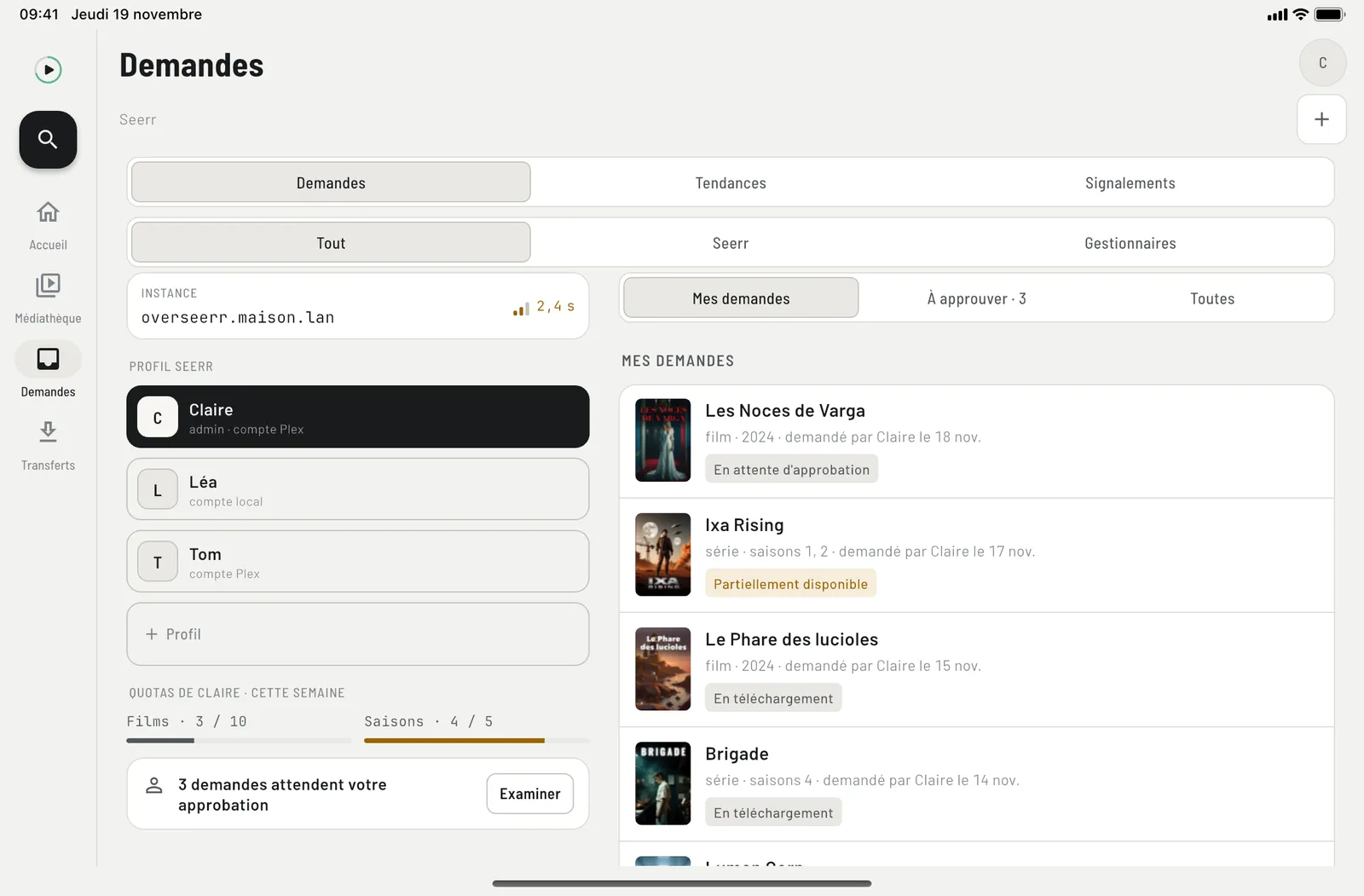
Approve or decline Seerr requests in one tap, and report a problem straight to Seerr. Each member follows their own requests and their notifications.
No subscription. A full 15-day trial; afterwards, Request mode stays free, and a one-time purchase unlocks full management of your server, shared with your family.
Free
Always available, no purchase
€9.99
15-day free trial · no subscription · family sharing on iPhone and iPad
| Request mode | Full Arro | |
|---|---|---|
| 15-day free trial, all features | — | ✓ |
| Discover and request via Seerr | ✓ | ✓ |
| Follow your requests and their notifications | ✓ | ✓ |
| Manage Sonarr, Radarr, Lidarr, Prowlarr | ✕ | ✓ |
| Transfers and download queue | ✕ | ✓ |
| Download notifications and Live Activity | ✕ | ✓ |
| Sync between devices | ✕ | ✓ |
| Family Sharing (one purchase for the whole family) | — | ✓ |
Manage Sonarr, Radarr, Lidarr, Prowlarr and Seerr; track transfers in qBittorrent, Transmission, Deluge, rTorrent, SABnzbd, NZBGet and JDownloader; browse Plex, Jellyfin, Emby, Tautulli and Bazarr.
Current playback on your servers: who is watching what, live or transcoding.
Missing episodes and films, and qualities to upgrade, searched in one tap.
One search across all your services at once, then add straight to Sonarr, Radarr or Lidarr, or request through Seerr.
Unified calendar, queue and, on iPhone, the current download on the Lock Screen and in the Dynamic Island. A blocked download can be imported by hand.
Automatic discovery of your services on the local network; local then remote address for each instance. Away from home, Tailscale or Headscale connects when the app opens, through an iOS Shortcut (step-by-step guide on the Support page).
Each title’s folder can be viewed, renamed and moved from its page. .torrent files and magnet links open in Arro; JDownloader links and captchas are handled without a computer.
Settings sync between iPhone and iPad through iCloud, end-to-end encrypted. Self-signed certificates are accepted after checking their fingerprint.
Arro brings the tools of your media server together in one app, for iPhone and iPad. Sonarr, Radarr, Lidarr, Prowlarr and Seerr to manage; qBittorrent, Transmission, Deluge, rTorrent, SABnzbd, NZBGet and JDownloader to track downloads; Plex, Jellyfin, Emby, Tautulli and Bazarr to browse. The app talks directly to your services, with no account and no ads.
Videos and screenshots of the app, device by device.
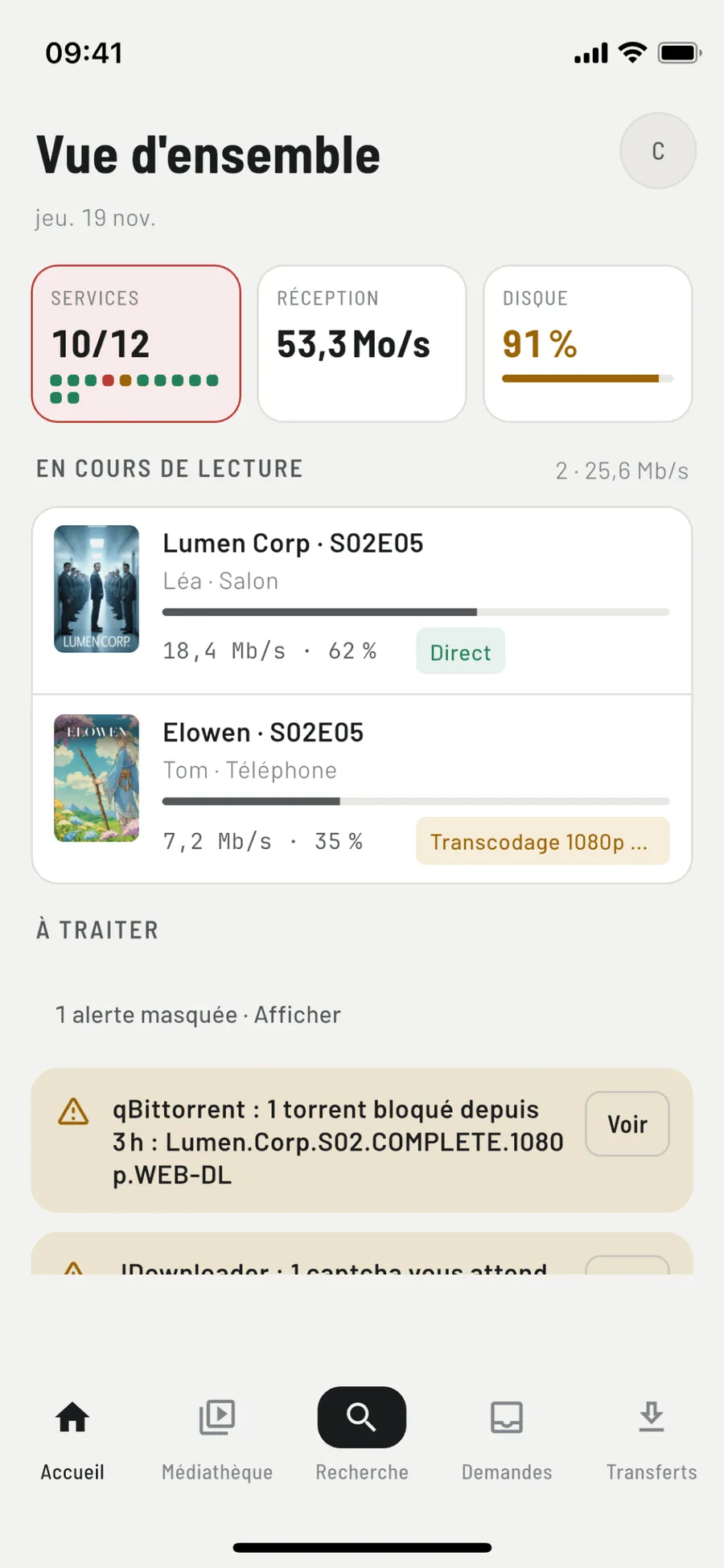 Dashboard: services, activity and downloads
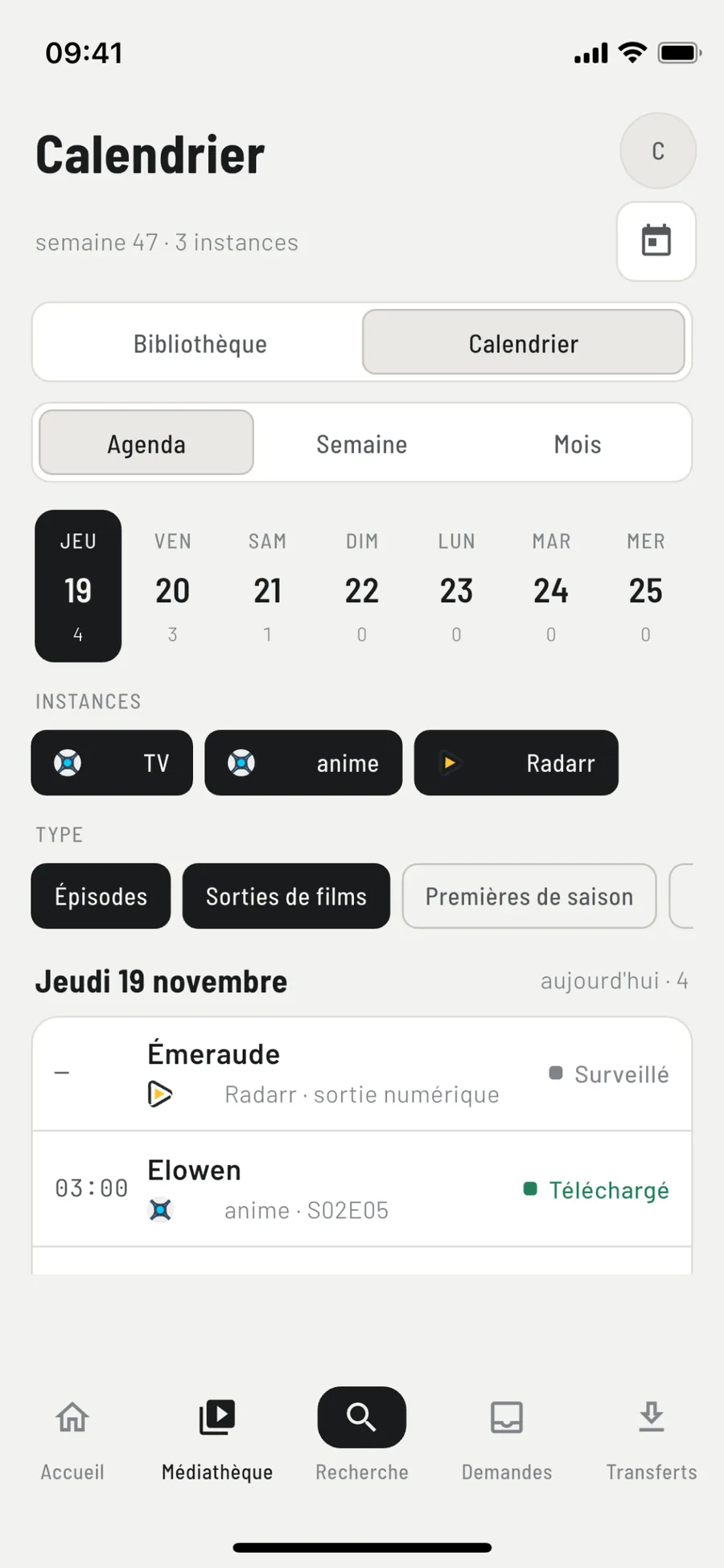 Unified calendar across all instances
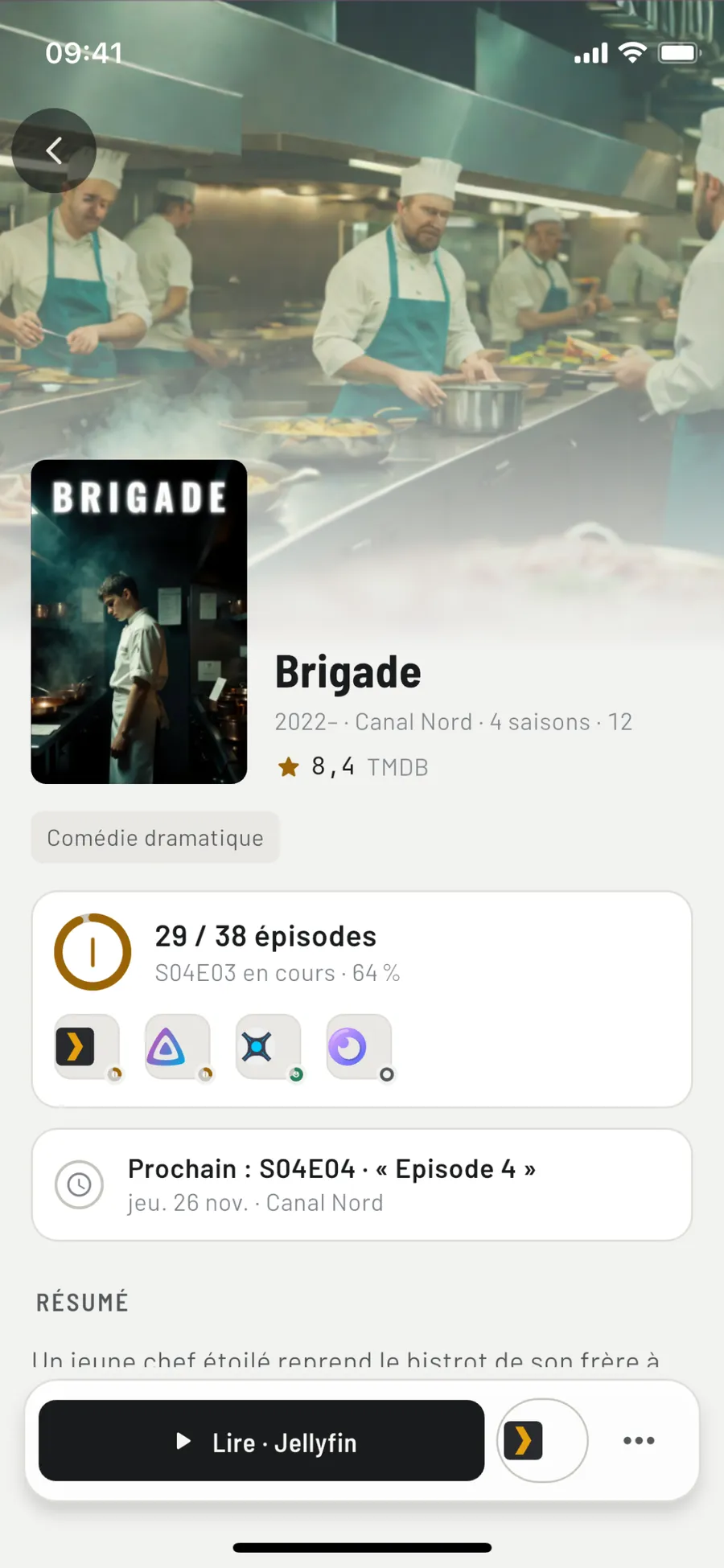 Series page, with its availability
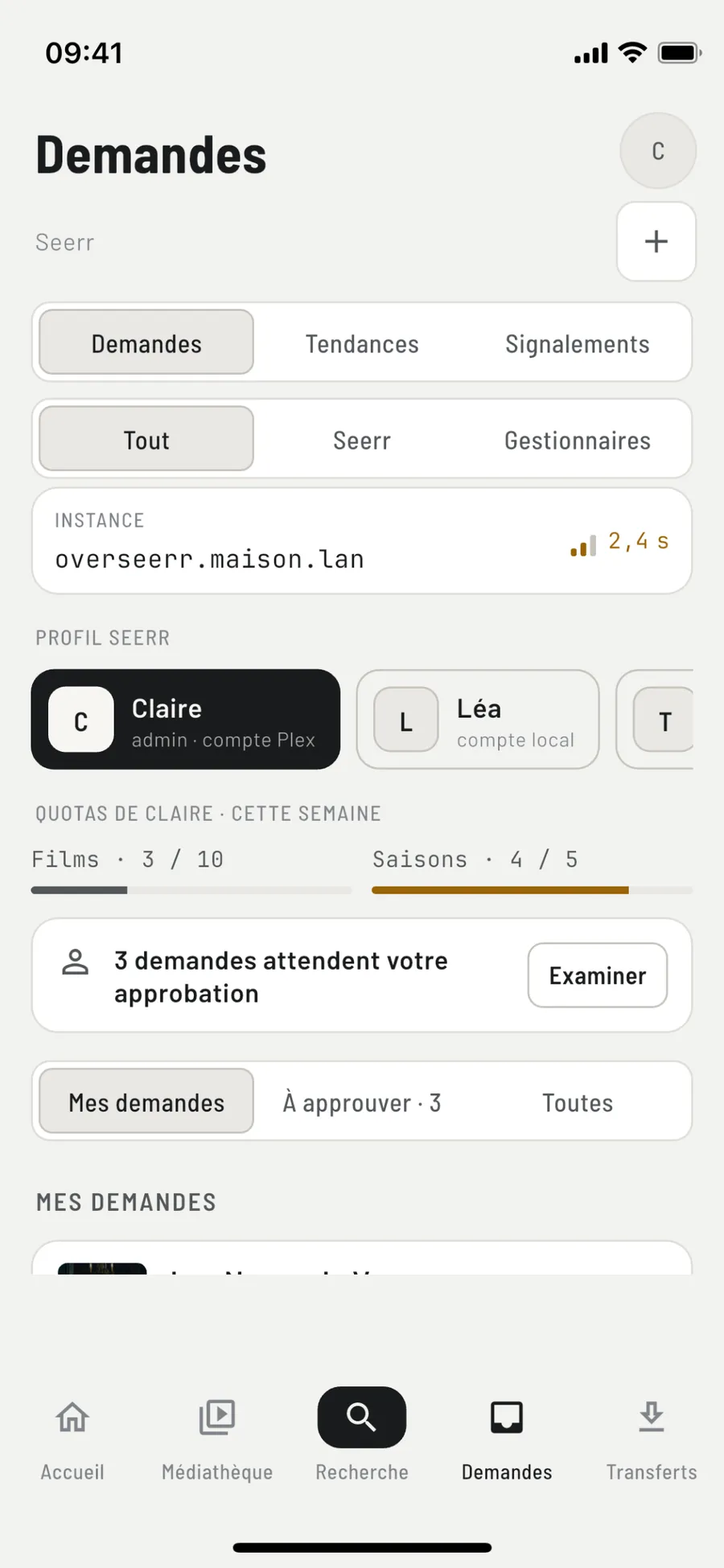 The family’s Seerr requests
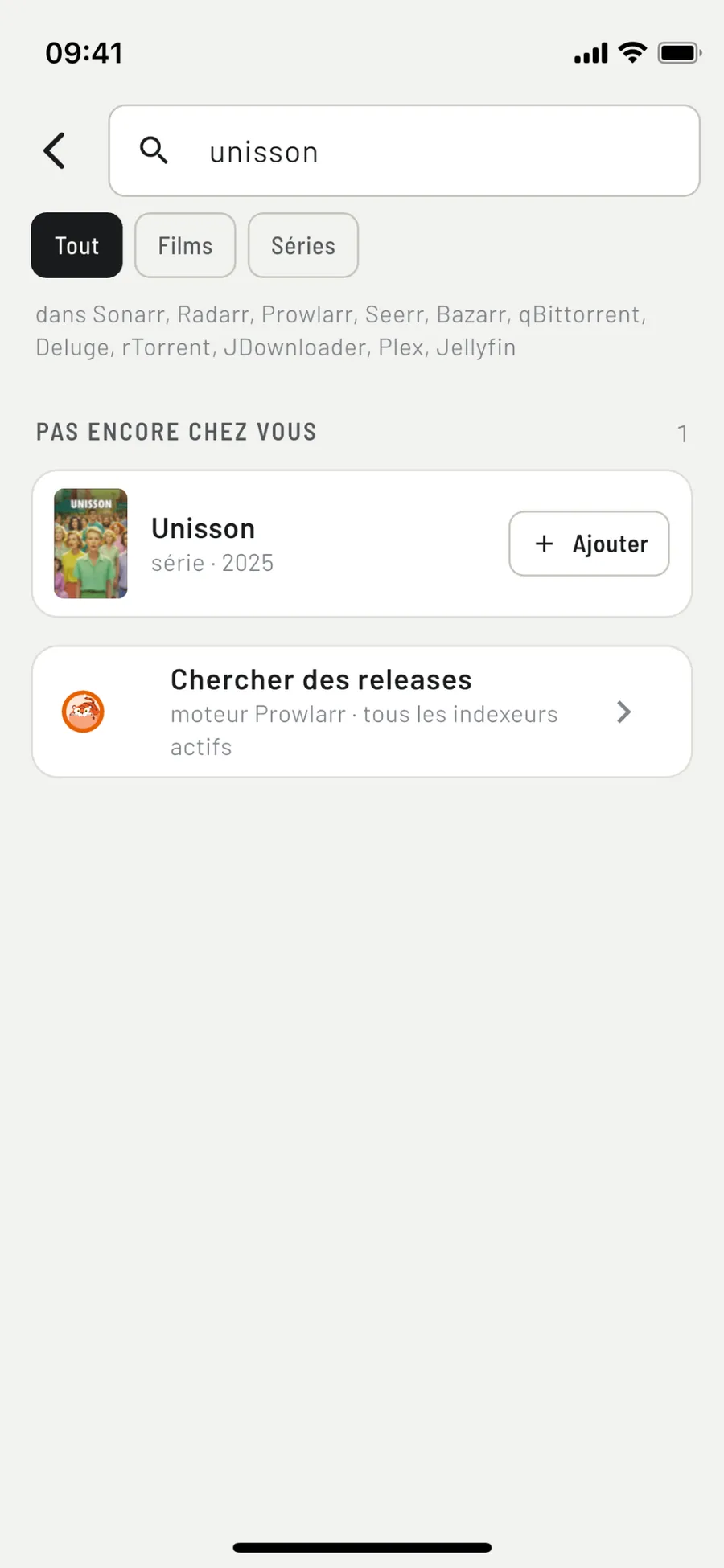 Global search across all services
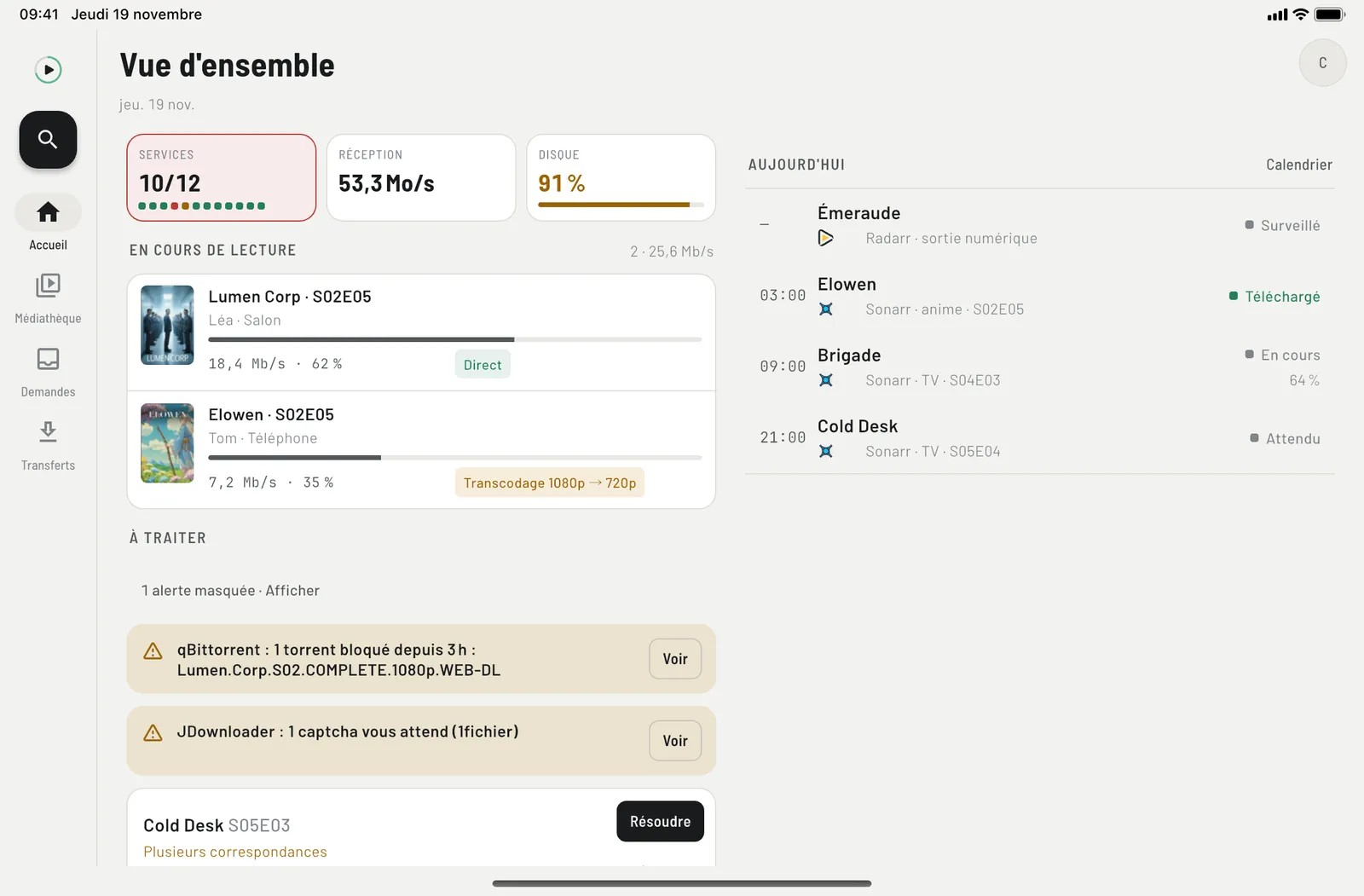 Dashboard: services, activity and downloads
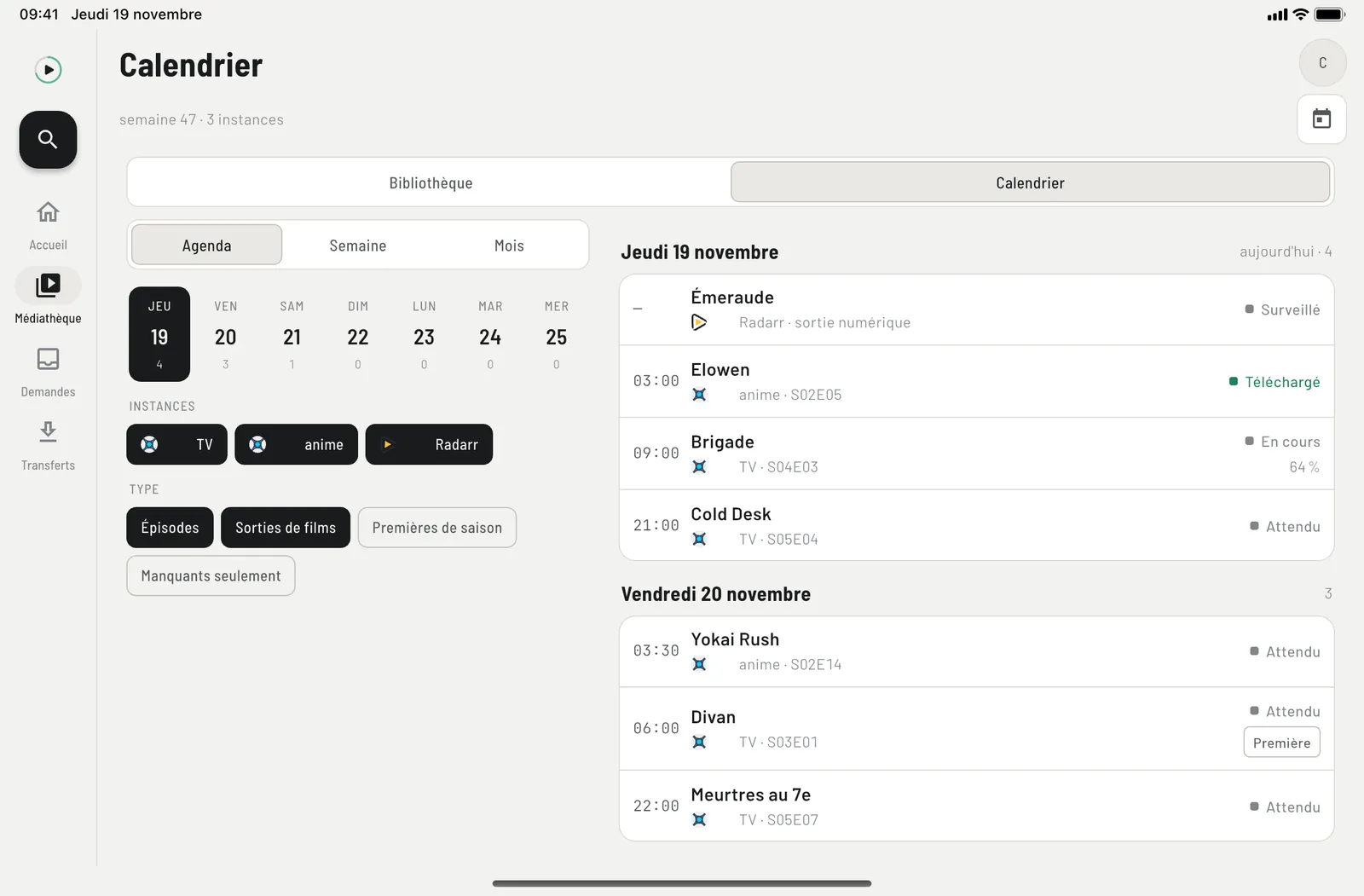 Unified calendar across all instances
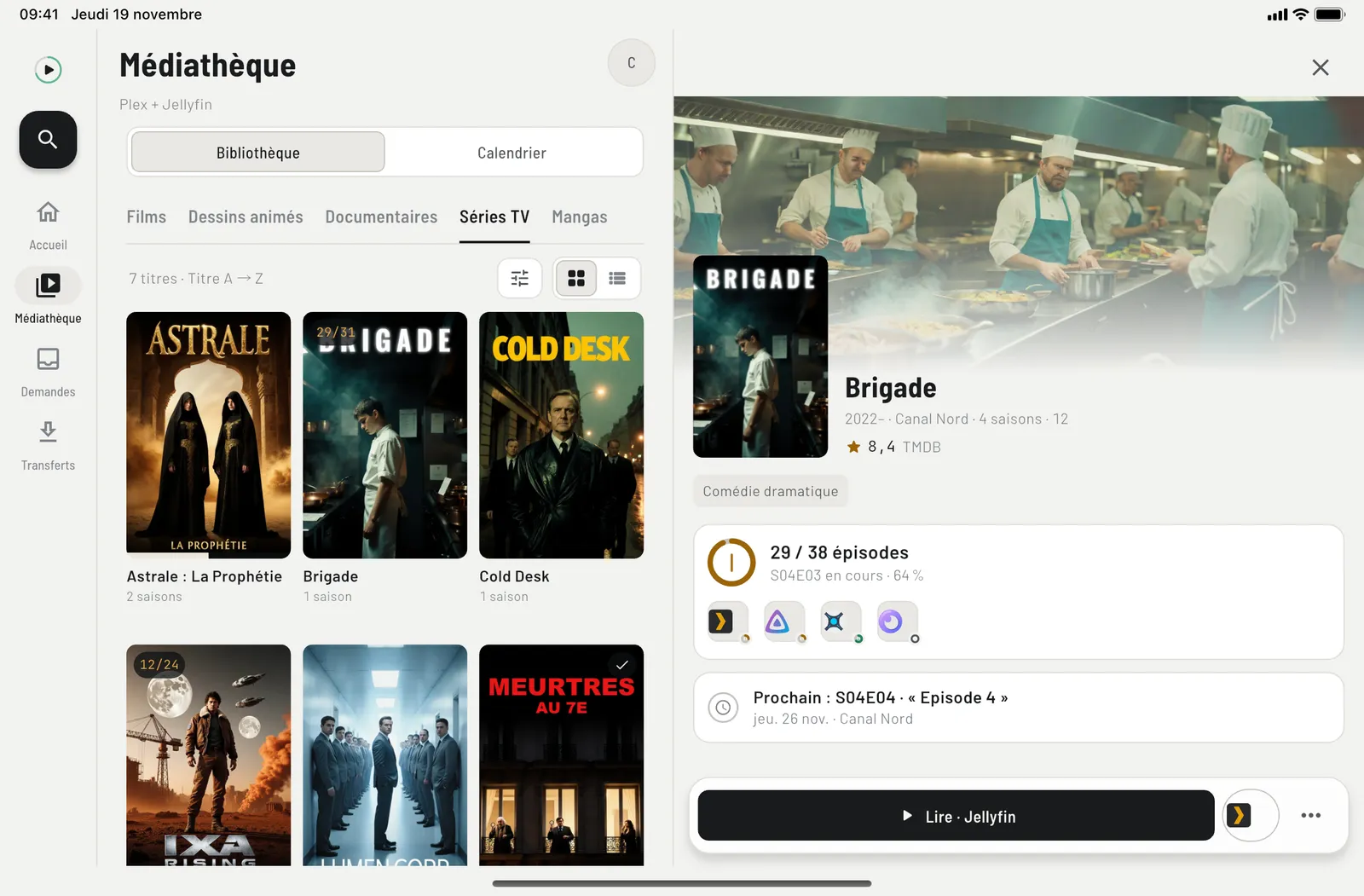 Series page, with its availabilityThe family’s Seerr requests
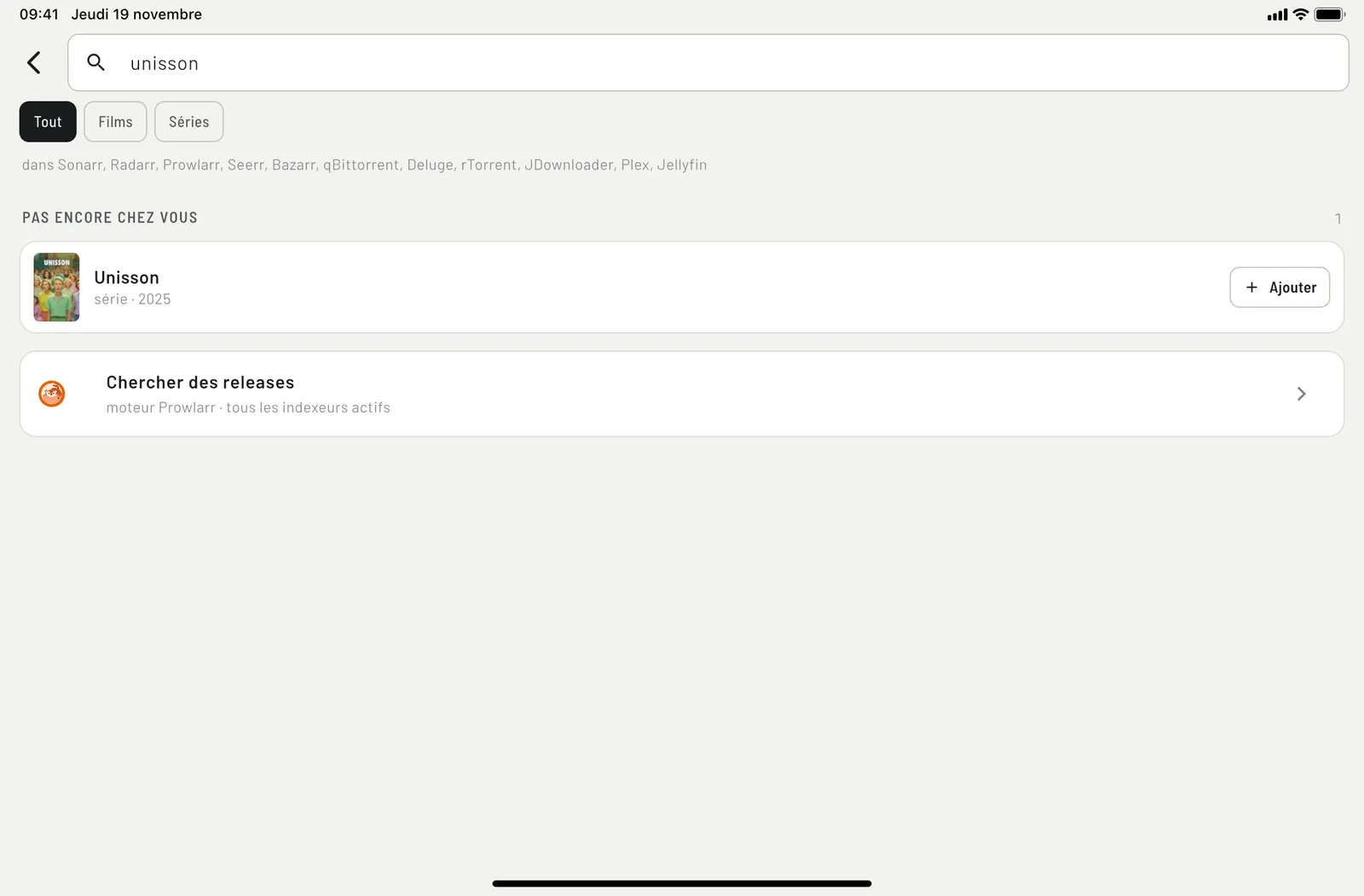 Global search across all services
No. Arro offers a free 15-day trial with all its features, then is bought once and for all.
Yes, in Request mode: discover content, request through Seerr, follow your requests and their notifications. Full management of your server requires the one-time purchase.
Yes. A purchase on the App Store gives access to Arro on iPhone and iPad with the same Apple account, and can be shared with Family Sharing. The Android app will come later, with a separate purchase on Google Play.
No. The app talks directly to your services, and your API keys stay in the phone’s secure storage. They are only sent to the addresses you enter.
Yes. Notifications from your services go through the publisher’s relay, which does not keep their content and encrypts it for your iPhone before handing it to Apple. Apple only sees a generic message: only your iPhone, which keeps the key in its keychain, can read the title and details.
Enter a remote address for each service (VPN, Tailscale, domain name). With Tailscale or Headscale, Arro can connect the tunnel when the app opens: on iPhone, this goes through a shortcut in the Shortcuts app, described step by step higher on this page.
Nothing about your library or your services: no account, no ads, no audience measurement. If you suggest an idea or answer a poll, the publisher receives what you sent and a random installation identifier, kept hashed. Details are in the privacy policy.